See how tarsiflow works
A guided tour of the dashboard and every module, from the first lead to the final payment. It plays by itself, or pick a chapter.



1 / 10
Your day at a glance
The dashboard opens with your clients, active projects and what is due today, plus progress on tasks, invoices and wins.
2 / 10
Money and pipeline
Revenue this month, unpaid invoices and the value of your open leads. Click any card to open the full list.
3 / 10
Every lead on one board
Leads sit in stages from New to Won. Drag a card to move it along, and the total for each stage updates as you go.
4 / 10
Win it, then convert it
When a lead is won, one click turns it into a client with its first project, so nothing is typed twice.
5 / 10
Everything about a client
Each client has its own page with contacts, projects, invoices, proposals, notes, meetings and activity, plus what they owe.
6 / 10
Projects on a board
Plan the work as a list or a board. Add tasks with owners and due dates, and drag them to In progress, In review and Done.
7 / 10
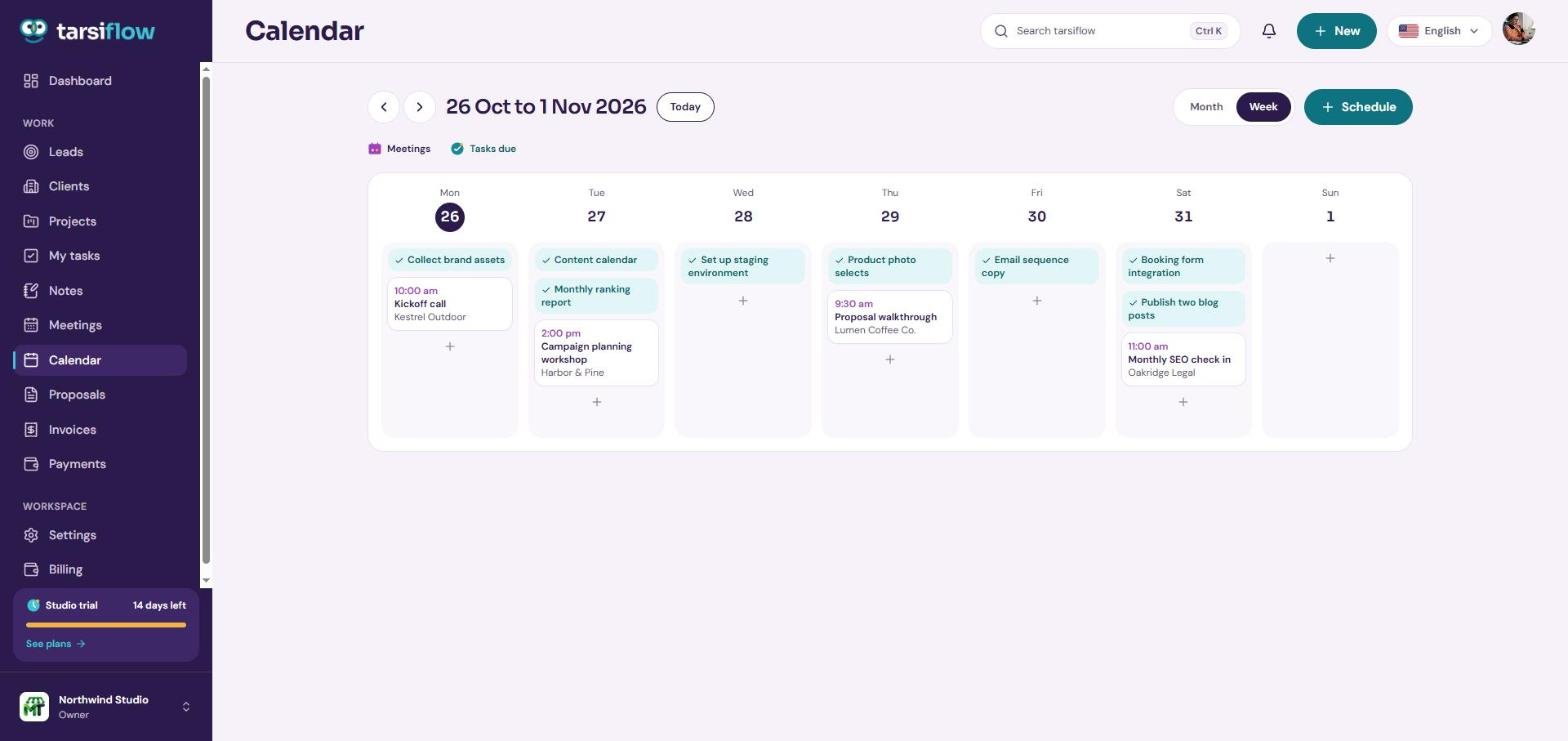
Meetings and due tasks
The calendar shows meetings and task due dates together. Use Schedule to book a meeting with a client.
8 / 10
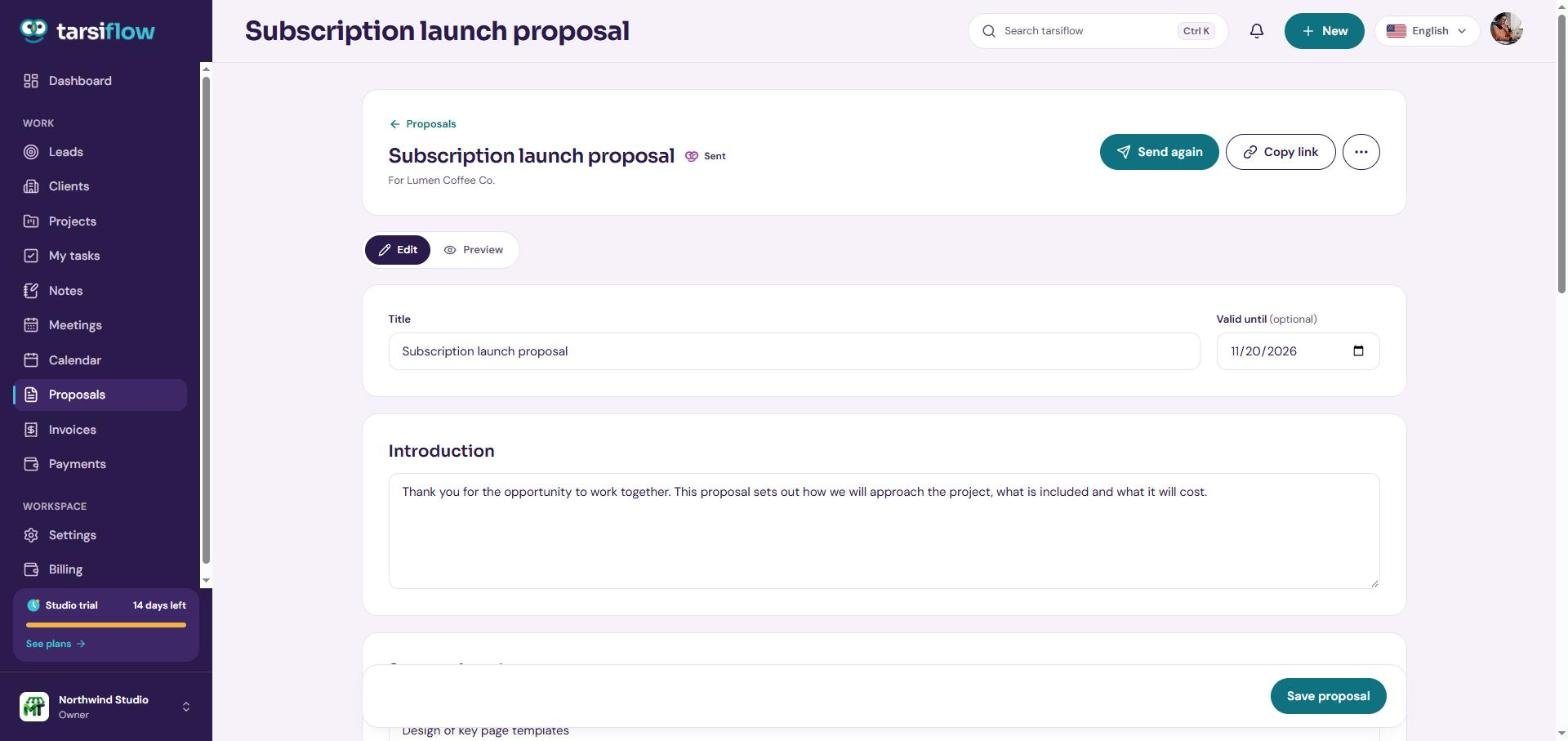
Proposals clients can accept
Write the proposal, preview it as your client will see it, then send it or copy the link. Clients accept online.
9 / 10
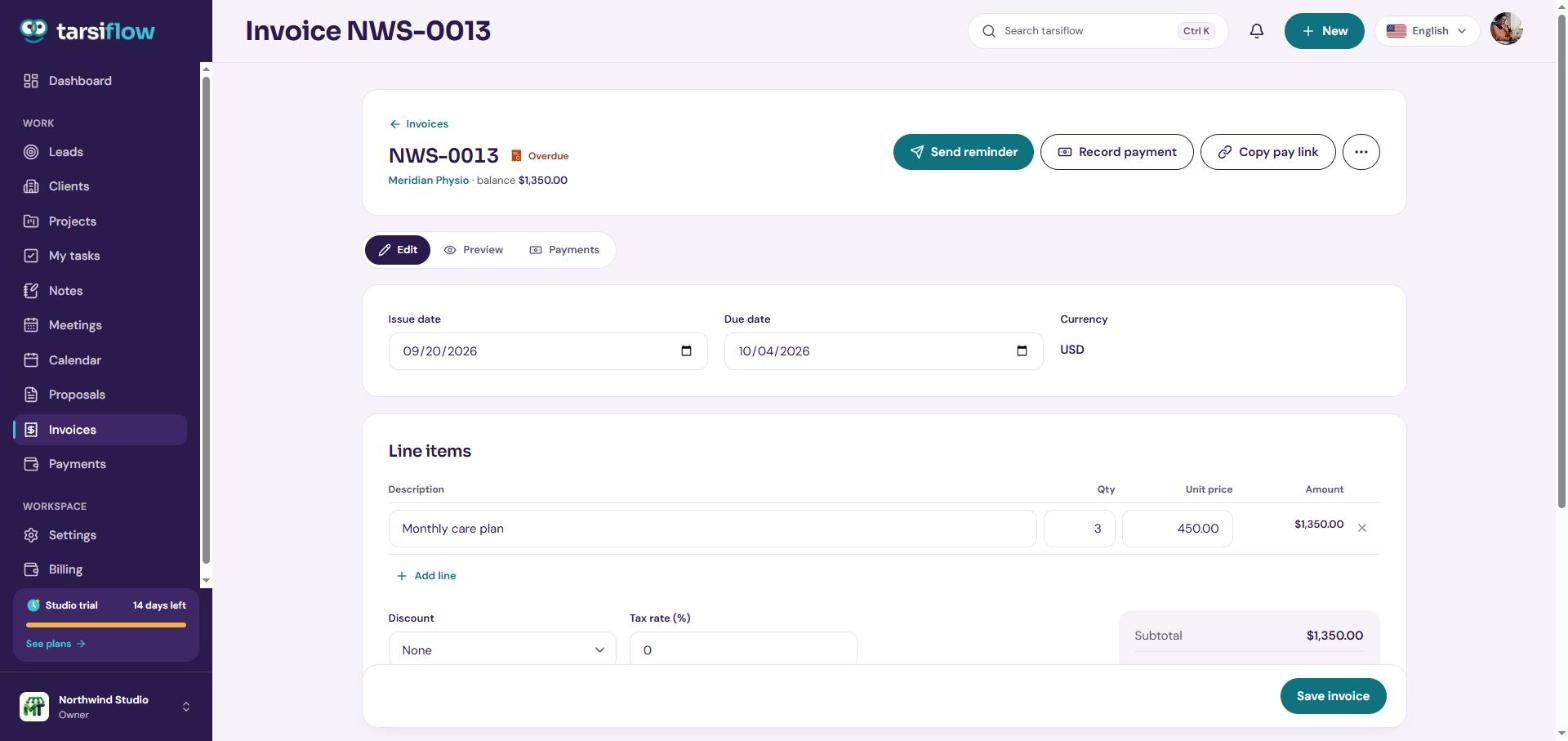
Invoices that get paid
Send a reminder for an overdue invoice, download the PDF, or record a payment you received.
10 / 10
Every payment in one place
Payments lists what each client paid and how, with totals for this month, last month and all time.
Request a live demo
Want to click around yourself? Ask for a private demo of Northwind Studio, a small agency with real looking clients, leads, projects, proposals and invoices. We email you a personal link that signs you straight in.
- No password needed
- Private to you
- Resets after 24 hours
-
A busy pipeline
Leads at every stage, with values, owners and close dates. Drag one to Won and watch it become a client.
-
Real looking clients
Client pages with contacts, projects, proposals, invoices, notes and a full activity timeline.
-
Projects in progress
Task lists and boards with assignees, due dates, checklists and comments.
-
Proposals to send
Drafts, sent and accepted proposals with pricing tables and optional items.
-
Invoices and payments
Paid, overdue and draft invoices, so the dashboard has numbers to show.
-
Meetings and notes
A week of meetings on the calendar, with agendas, notes and action items.
Frequently asked questions
Can't find what you need? Talk to us and we'll reply within one working day.
No. The tour plays right here on this page. Pick any chapter to jump to that part of the app.
Fill in the request form. We email you a personal link, usually within one working day, that signs you straight into your own demo workspace. No password and no card.
No. Every visitor gets a private copy of the demo workspace. It is deleted after 24 hours.
No. Sending to clients, team invitations and API tokens are switched off in the demo. Everything else works.
The demo is for exploring. When you are ready, start a free trial and set up your own workspace in about two minutes.

Ready for your own workspace?
Start a free trial with your own clients. No card needed, and you can be set up in about two minutes.